When School Break Hits, Everything Changes
School breaks sound relaxing in theory, but most parents know they flip family routines upside down. Suddenly, there’s no lunch period, no predictable schedule, and kids are somehow hungrier than they ever are during a school week. As featured in Forbes’ review of new AI meal planning tools, Ollie was built for exactly these high-stress transitions, the weeks when parents need predictability more than anything.
When kids are home all day, mealtime becomes a constant background problem. Parents aren’t just planning dinner anymore. They’re managing lunches, breakfasts, snacks, “I’m bored” grazing, road-trip food, and long holiday errands. This guide will help you build simple structures that keep everyone fed and calm, and show how Ollie makes break-week planning far easier.
Why do school breaks disrupt kids’ eating routines so much?
Children’s meals become unpredictable during school breaks because structure disappears. Without set school schedules, kids snack more, ask for food at random times, and struggle with boredom eating. Parents end up improvising meals all day long, which feels exhausting by day two of break.
When your child isn’t in class, their natural rhythms shift. They sleep a little later, they burn energy differently, and they don’t have the social cues that signal when it’s time for lunch. Research from Harvard Health on kids’ nutrition routines notes that predictable meals support stable energy and better moods, but breaks make that consistency much harder to maintain.
That’s why break weeks often feel chaotic: parents juggle new meal times, more frequent snacks, and kids who suddenly want everything in the pantry.
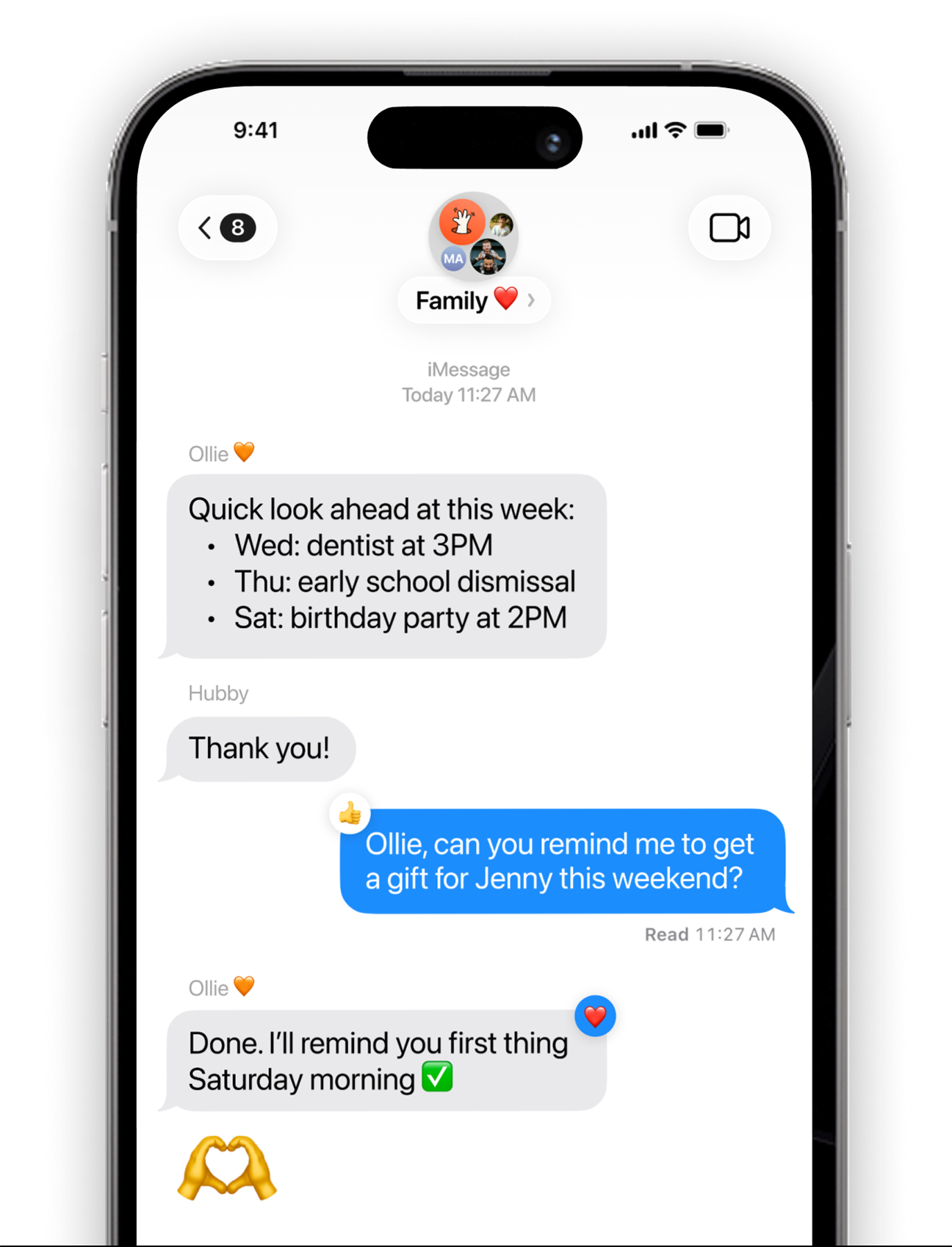
Ollie helps put that structure back in place. Its personalized plans automatically adjust to kids being home all day, offering simple lunches, flexible snacks, and realistic dinners you can count on. Instead of reinventing meals daily, you open the app and follow the plan, no brainpower required.
How do I meal plan for kids being home all week?
The best way to plan meals during school breaks is to think in simple, repeatable systems. Kids don’t need a brand-new lunch every day; they need consistency. Rotate a few lunches, prepare basic breakfasts, and build easy snack routines that reduce the all-day grazing that drives parents mad.
School breaks create decision fatigue fast. Every meal becomes an open question, and without a system, parents burn out. A few foundational structures keep things sane:
Rotate 2–3 easy lunches (and repeat them guilt-free).
Think quesadillas, turkey roll-ups, pasta with veggies, or build-your-own bowls. Repetition is your friend.
Prep simple breakfasts for noisy mornings.
Overnight oats, fruit + yogurt parfait kits, egg muffins, banana pancakes, or breakfast burritos freeze well and reheat quickly.
Create predictable snack categories.
Parents often worry they’re overfeeding snacks, but according to Harvard Health, kids actually thrive with predictable snack patterns because they stabilize blood sugar and reduce mood swings.
Try:
- Crunchy (carrots, popcorn, pretzels)
- Protein (cheese, nuts, yogurt)
- Fruit (berries, apples, bananas)
Kids choose one from each category. It builds autonomy without chaos.
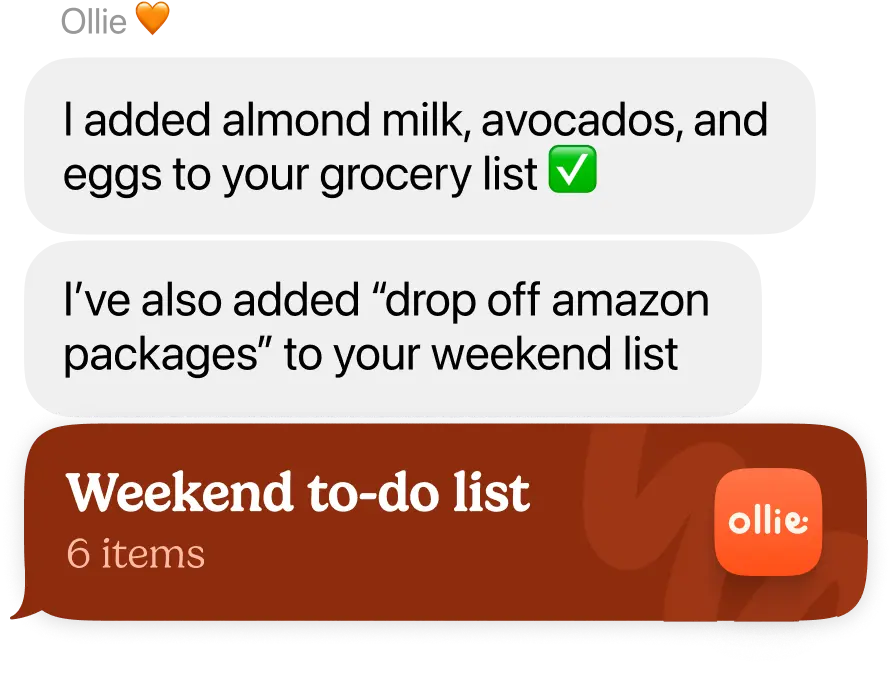
Ollie turns these systems into a realistic weekly plan. Ask it to “Make a school break meal plan” and you’ll get a full week of easy lunches, fast breakfasts, and kid-friendly snacks arranged into your calendar. You can tweak meals, replace them, or add more with a single tap, and your grocery list updates instantly.
What should I feed my kids during school breaks?
During school breaks, feed kids meals that are easy, familiar, and repeatable. Choose options they already like, foods that store well, and flexible meals you can assemble fast. Think sandwiches, quesadillas, pasta salads, fruit sides, sheet-pan dinners, and snack plates.
There’s no need for gourmet cooking during breaks. Parents often feel pressure to “do more” when kids are home, but children thrive on predictable meals. This is a great time to embrace a simple rotation:
Easy lunch ideas:
- Turkey + cheese roll-ups
- Veggie pasta with olive oil
- DIY quesadilla bar
- Chicken salad sliders
- Cottage cheese + fruit + pita
Kid-friendly snack boards:
A snack board can be a lifesaver when kids ask for food every hour. Include:
- Berries or sliced apples
- Crackers or pretzels
- A protein like cheese, hummus, or peanut butter
- A fun “treat” like chocolate chips or mini cookies
Simple dinners for low-energy nights:
- Sheet-pan chicken + potatoes
- 20-minute tacos
- Breakfast-for-dinner scrambles
- Frozen veggie pizzas with added protein
- Slow cooker chili
Ollie makes these decisions easier by offering meal ideas that match your kids’ likes and dislikes. If your child loves pasta and hates tomatoes, Ollie adapts automatically. If your picky eater only accepts five vegetables, Ollie works within those limits. This is planning that fits real life, not an idealized version of it.
How do I handle snacks and lunches when kids are home all day?
The key is building boundaries that still feel flexible. Kids need more food when they’re home, but they also need structure. Create “open snack times,” predictable lunch hours, and easy food they can grab independently.
Break weeks often become snack free-for-alls. Kids wander in and out of the kitchen, rummaging for food every thirty minutes. That drains parents physically and mentally. Instead, give kids guardrails:
Set two official snack windows.
Late morning + mid-afternoon works well. Kids quickly understand when snacks are available.
Keep grab-and-go portions visible.
Put fruit, cheese sticks, yogurt pouches, and pretzel bags at kid height.
Use snack boards as a boredom solution.
Snack boards keep kids full and make them feel like they’re choosing their own meals.
Offer simple, satisfying lunches:
- Pizza bagels
- Tuna + crackers
- Chicken quesadillas
- Mini charcuterie lunches
- Veggie + hummus wraps
Ollie lets you plan snacks with the same ease as dinners. You can add “Snack ideas” for each day, build mini snack boards, or ask the AI to suggest high-protein options for hungry kids. Everything syncs to your grocery list, so you remember nothing on your own.
How do I keep meals on track during travel days and holiday activities?
Plan packable meals, prep car-friendly snacks, and choose foods that won’t melt, crumble, or trigger sugar crashes. Think sandwiches, nuts, cheese, dried fruit, and water-heavy foods like cucumbers.
Travel days are tricky: kids get bored, hungry, overstimulated, and tempted by sugary convenience foods. The goal isn’t perfection, it’s predictability.
Car snacks that work:
- Pretzel sticks
- Apple slices
- String cheese
- Mini muffins
- Granola bars
- Dried fruit
- Popcorn
Packable lunches:
- PB&J
- Turkey sandwiches
- Pita + hummus + veggies
- Cold pasta salad
- Hard-boiled eggs + crackers
Errand-day survival kits
If your break includes long shopping days or holiday errands, keep a small “snack bag” in the car. It prevents meltdowns and saves money.
Ollie can create a travel-day food plan that includes packable lunches, sugar-steady snacks, and easy dinners for when you come home tired. It also scales your grocery list to cover meals at home plus road food, no last-minute gas station snacks required.
What’s the best meal planning app for school vacation weeks?
The best meal planning app for school breaks is one that understands routine changes, like Ollie. It adjusts for extra lunches, snack needs, travel days, and picky eaters. It builds realistic weekly plans and automatically updates grocery lists so parents don’t scramble.
Most apps only plan dinner. During school breaks, that’s not enough.
Parents need:
- Lunch planning
- Snack planning
- Travel-day meals
- Quick swaps
- Kid-friendly templates
- Grocery lists that expand with extra meals
- AI is flexible enough for real-life chaos
Ollie was designed around those exact needs. You can ask it:
- “Plan five lunches for school break.”
- “Make a week with two travel days.”
- “Add kid-friendly snacks.”
- “Use up what’s in the fridge today.”
And it will adjust your menu instantly. Thanks to Ollie’s integration with grocery delivery partners like Instacart and Amazon Fresh, you can also skip the store entirely.
How does Ollie help families stay organized and fed during school breaks?
Ollie helps by giving families kid-friendly, structured meal plans that adapt to changes in schedule, appetite, and activity level. It creates break-week menus, snack plans, grocery lists, and easy meal ideas that don’t require parents to think.
Break weeks challenge even the most organized households. Ollie steps in as the calm, predictable partner that keeps everyone fed:
1. Pre-built “School Break Week” plans
Ask Ollie to create a dedicated plan with breakfasts, lunches, dinners, and snacks for every day of break.
2. Grocery lists that expand automatically
More meals at home = bigger shopping needs. Ollie updates everything for you.
3. Kid-friendly meal templates
Picky eaters? Allergies? Preferences? Ollie remembers it all and adjusts recipes accordingly.
4. Snack planning + portion guidance
Parents can add snacks or ask Ollie to help reduce sugar crashes.
5. Real-time chat for quick changes
Running behind? Ask:
“Replace lunch with something fast”
and your entire plan updates instantly.
This is the kind of support parents need during break weeks: simple, flexible, and built for real life.
A More Peaceful School Break Starts With a Plan
School breaks don’t have to feel like an endless cycle of grocery runs, snack requests, and “What’s for lunch?” moments. With a few simple systems and a tool that handles the heavy lifting, your family can enjoy a calmer, happier week at home.
Ollie helps you map out breakfasts, lunches, dinners, snacks, and travel days without stress. It gives your kids structure, reduces your mental load, and brings dinner back to a place of ease instead of overwhelm.
Want smarter, calmer break-week meals? Let Ollie plan them for you.